How to Organize an After Effects Project (Tidy the Project Panel in One Click)
Inherited a project with 400 loose items in the Project panel? Every motion designer has opened an .aep and had no idea where anything was. Taking a few minutes to organize an After Effects project pays off every time you, a colleague or a client opens it again.
Below is a simple folder structure that works, the clean-up tools built into After Effects, and how Flayr FX Project Organiser sorts the whole Project panel in one click, safely.
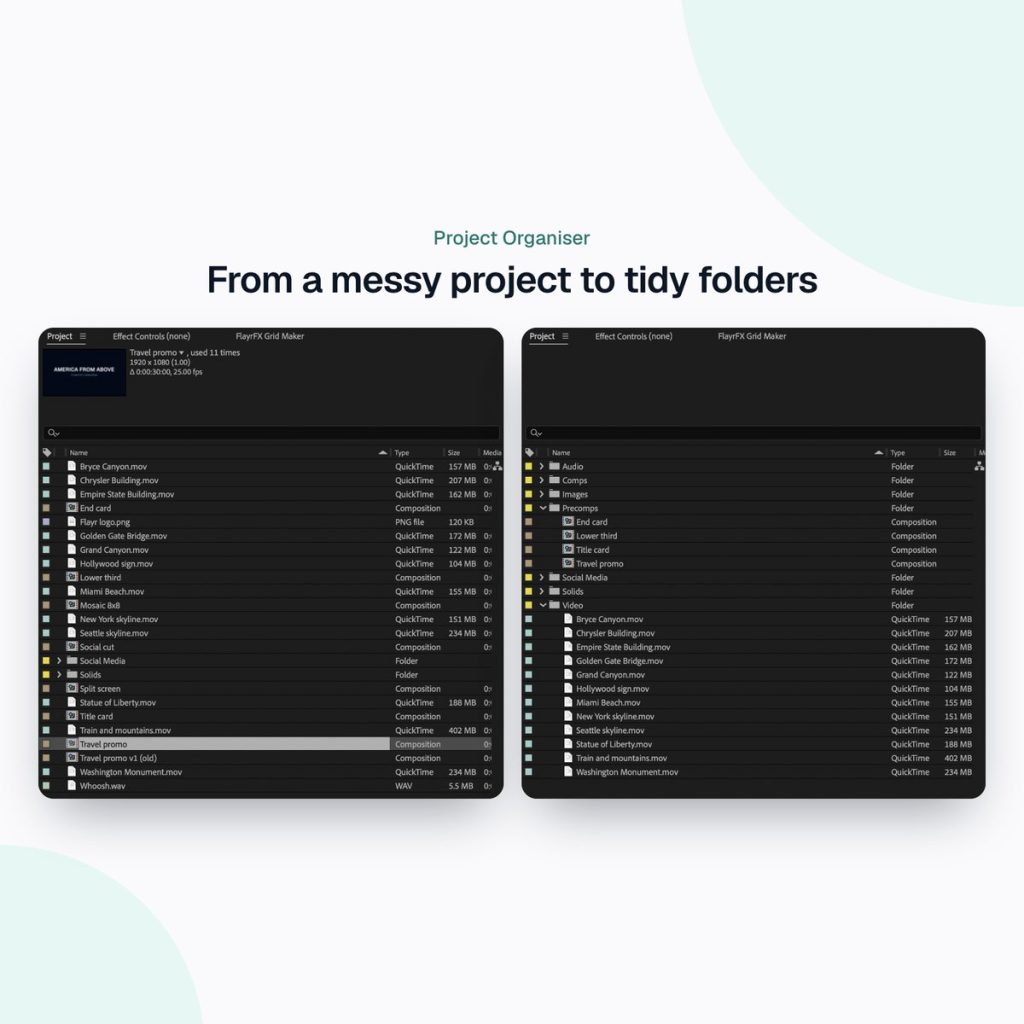
A folder structure that works
There’s no single right way, but sorting by item type is easy to understand and easy to keep up:
- Comps: your main and render comps.
- Precomps: comps used inside other comps.
- Video: footage files.
- Images: stills, logos and Illustrator or Photoshop files.
- Audio: music, voiceover and sound effects.
- Solids: solids, nulls and adjustment layers.
- Missing: any footage that’s gone offline, so you can spot it straight away.
After Effects’ built-in clean-up commands
Under File › Dependencies you’ll find three useful tools: Remove Unused Footage deletes footage that isn’t used in any comp; Consolidate All Footage merges duplicate imports; and Reduce Project removes everything not used by the selected comps. Collect Files copies the project and all its footage into one folder for archiving or handover.
They’re worth knowing, but none of them sorts what’s left into folders. That part is still dragging items by hand.
The fast way: Flayr FX Project Organiser
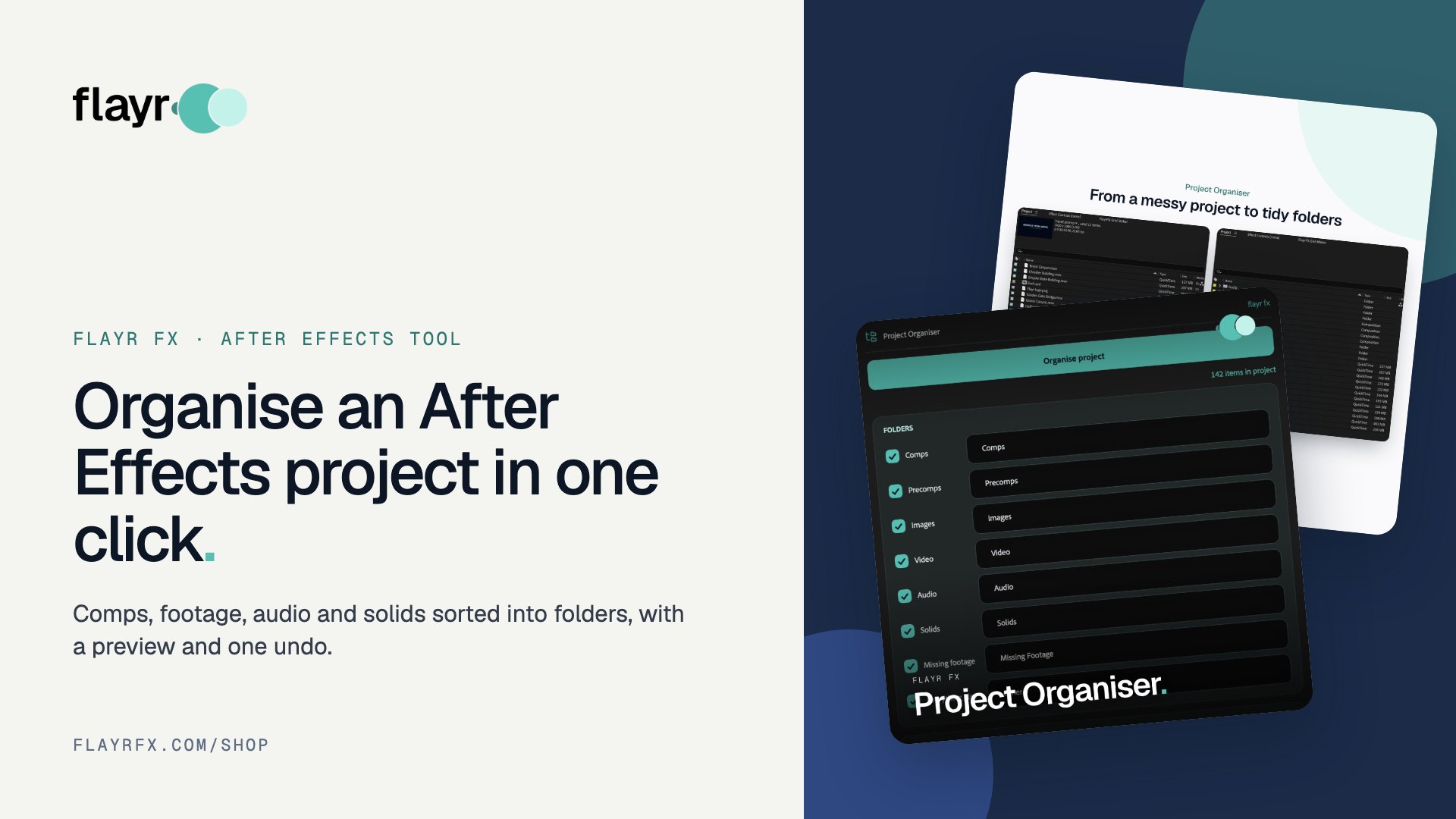
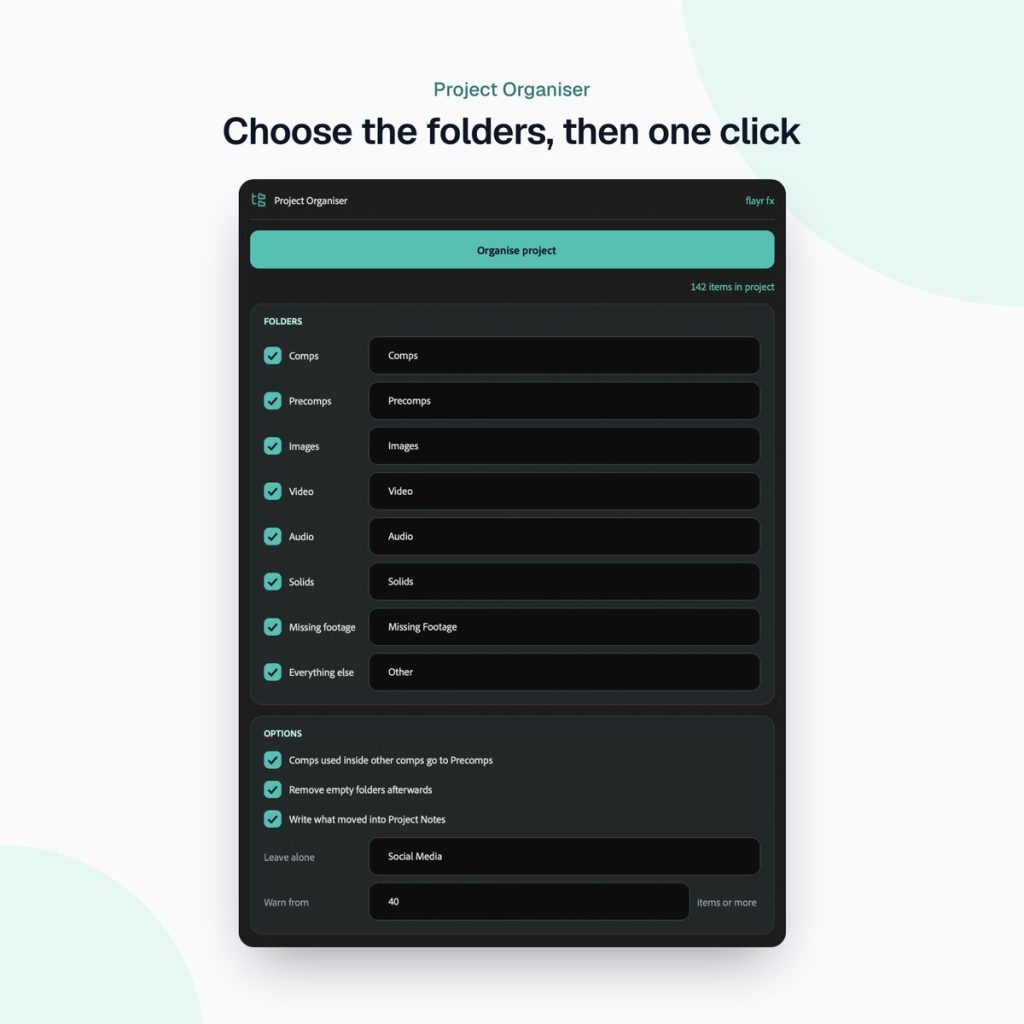
Flayr FX Project Organiser is a dockable After Effects panel with one big Organise project button. It sorts comps, precomps, images, video, audio, solids and missing footage into their own folders.
Your folder names
Rename any folder to match your studio’s conventions, or switch it off if you don’t need it.
It shows you first
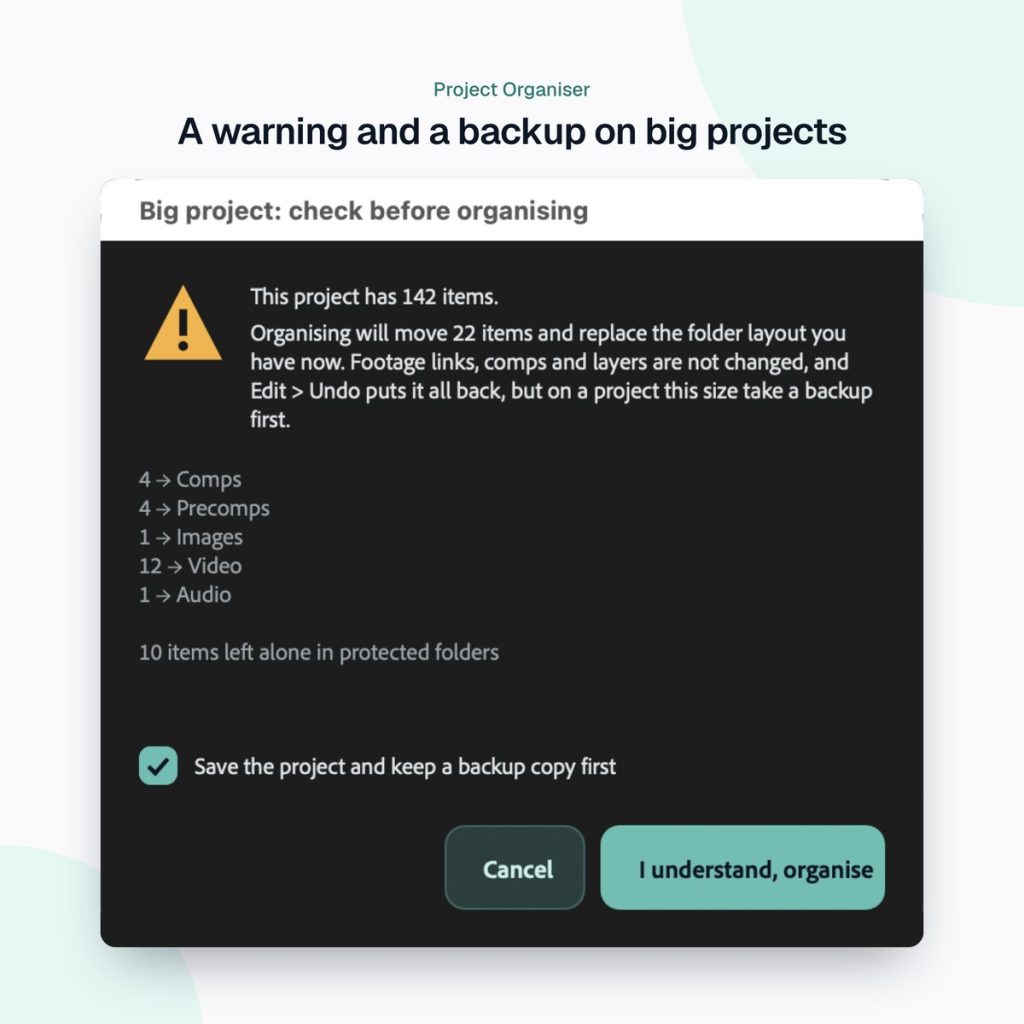
You always see what will move before anything does. It leaves alone any folders you list (and the Social Media folder from Social Comps), and empty folders can be cleared away afterwards.
Safe on big projects
Past 100 items (you choose the number) it shows a clear warning and offers to save a backup copy of the .aep before it reorganises everything. And it’s undoable: one Edit › Undo puts every item back.
A clean-up routine for every handover
- Save a copy of the project (Project Organiser offers to do this on big projects).
- Run File › Dependencies › Remove Unused Footage to drop anything that isn’t used.
- Press Organise project in Project Organiser to sort everything into folders.
- Check the Missing folder and relink anything offline.
- Use File › Dependencies › Collect Files to package the project and footage for handover.
Part of the Flayr FX Tools range
Project Organiser is one of a family of small, focused After Effects and Premiere Pro tools we built for our own post-production jobs. Own more than one and they talk to each other: Screenshots and Social Comps add to-dos to Project Notes, and the Project Organiser writes what it moved into your notes. The free Flayr FX Tools hub puts the whole range in one panel under Window › Extensions › Flayr FX Tools, with a tile that opens or runs each tool. It also installs Flayr Ipsum, free placeholder text for titles and lower thirds.
With Project Notes installed, each tidy-up is written into the project’s notes, so everyone can see what moved.
Frequently asked questions
Can I undo the organise?
Yes. One Edit › Undo puts every item back where it was.
Will it delete anything?
No. It only moves items into folders. Empty folders can be cleared afterwards if you choose.
Can I use my own folder names?
Yes. Rename any folder or switch it off, and list any folders you want left alone.
Which After Effects versions are supported?
After Effects 2022 or later, on macOS and Windows.
Hand over projects you’d be happy to open yourself. Get Flayr FX Project Organiser on flayrfx.com.

- How to Find and Add Sound Effects in Premiere Pro Faster - November 5, 2026
- How to Organize an After Effects Project (Tidy the Project Panel in One Click) - November 5, 2026
- How to Make a Grid in After Effects (Split Screens, Mosaics and Layout Guides) - November 5, 2026



Leave a comment
You must be logged in to post a comment.